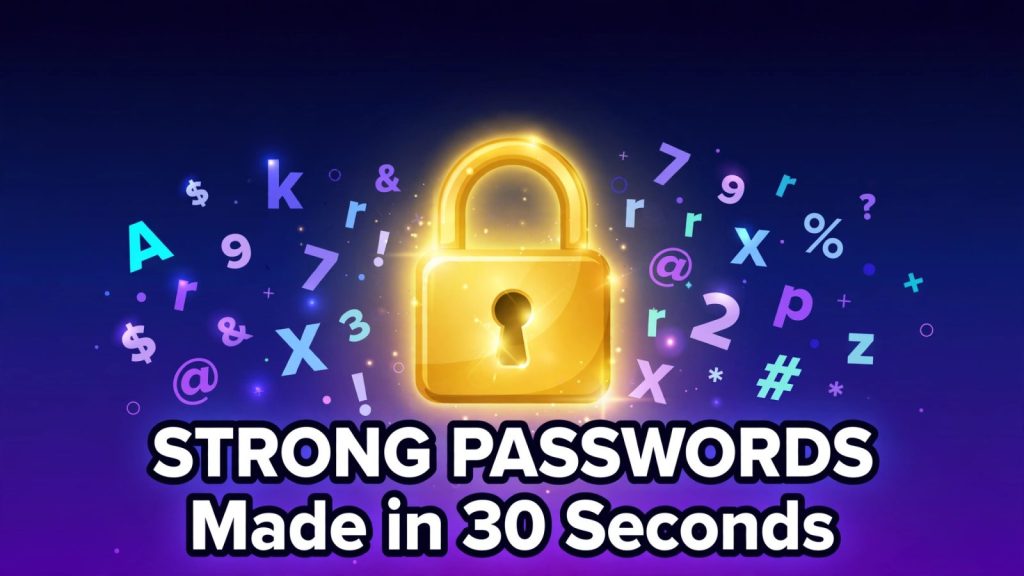
Your password is the lock on your email, your bank account, your photos and your work. Most people still guard all of that with a pet’s name and a birth year. The fix takes about thirty seconds, costs nothing, and you only have to do it once per account: generate a random password, store it in a password manager, and never reuse it. This guide shows you exactly how, with the numbers behind every rule, so you can stop guessing and start using passwords that actually hold up. If you want the short version, open the free Password Generator & Strength Checker, set the length to 16 characters, press Generate, and save the result in a password manager. The rest of this guide explains why that is enough, and what to do about the passwords you already have.
All facts, prices and statistics in this article were checked on 22 November 2026 against at least two independent sources.
What Makes a Password Strong in 2026
A strong password is not a clever one. It is a long, random, unique one. That is the whole secret, and it comes from how attackers actually break in. They do not sit at a keyboard and guess your dog’s name. They run software that tries millions of combinations a second, and they start with the passwords everyone else uses.
Three things decide how long a password survives that attack: length, randomness and uniqueness. Length matters most, because every extra character multiplies the number of possible passwords. Randomness matters because a password built from a word, a year and a symbol follows a pattern that cracking tools already know. Uniqueness matters because a password that leaks from one site gets tried on every other site you use.
The official guidance has moved in the same direction. The US National Institute of Standards and Technology, in NIST SP 800-63B, now says systems should require at least 8 characters, should require at least 15 characters when a password is the only authentication factor, and should accept passwords up to at least 64 characters. It also dropped the old rules that forced a mix of symbols and forced you to change your password every 90 days. Forced complexity made people write “Summer2026!” and forced rotation made them write “Summer2026!2”. Length and randomness beat both.
The other number that matters is entropy, measured in bits. Entropy is the count of how many equally likely passwords exist, expressed as a power of two. Each extra bit doubles the attacker’s work. A password with 50 bits of entropy needs about a trillion guesses; one with 100 bits needs about a million trillion trillion. You do not have to do the maths yourself. The Password Generator & Strength Checker shows the entropy of anything it creates, and its strength checker estimates the same number for passwords you already use.
Why does any of this matter in practice? Verizon’s 2025 Data Breach Investigations Report analysed 22,052 security incidents and 12,195 confirmed breaches, and found that stolen credentials were still the most common way attackers got in, used in 22% of breaches. In basic web application attacks, 88% of breaches involved stolen credentials. Weak and reused passwords are not a small personal habit. They are the single biggest door into breached accounts.
How to Create a Strong Password in 30 Seconds
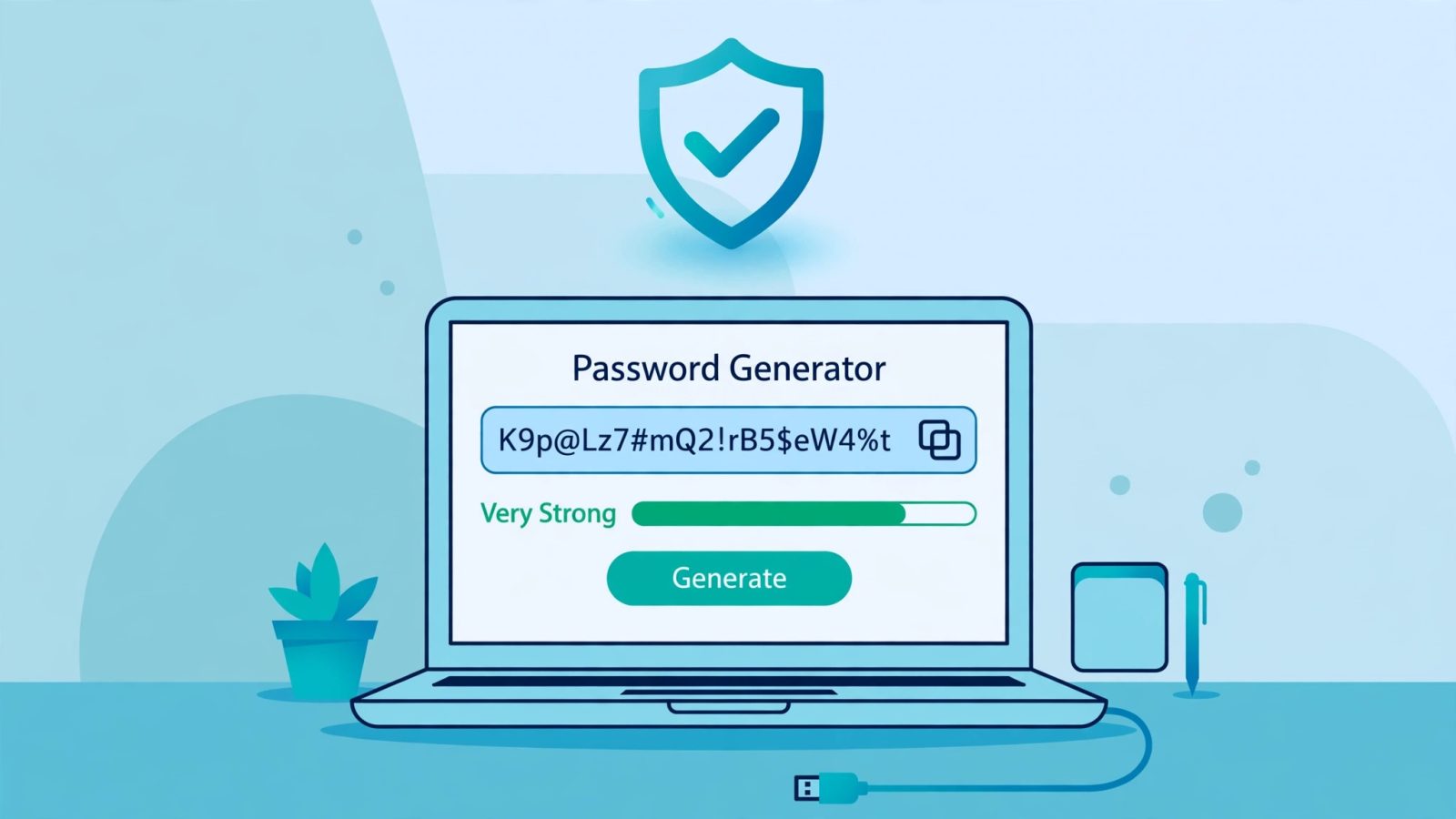
You do not need to invent a strong password. Humans are terrible at randomness, and every password you “make up” leans on words, dates and patterns you already know. Let a machine do it instead. Here is the whole process, start to finish, in under a minute.
Step 1: Open a generator that works in your browser. Use the free Password Generator & Strength Checker. It runs entirely on your device, uses the browser’s cryptographic random source (crypto.getRandomValues), and never sends anything you generate to a server. That last point matters: a password generator that uploads your password has already defeated its own purpose.
Step 2: Set the length to 16 characters or more. Sixteen characters drawn from upper and lower case letters, digits and symbols carry about 105 bits of entropy. That is far beyond what any realistic attacker can brute-force. If a site caps the length at 12, use 12 and turn on every character set. If it allows 20 or more, take the extra length. It costs you nothing, because you will never type it.
Step 3: Turn on every character set. Uppercase, lowercase, digits and symbols. All four together give a pool of 94 printable characters, which is what makes 16 characters so powerful. If a site refuses symbols, do not panic: add four more characters and you are back to roughly the same strength.
Step 4: Press Generate and copy the result. Something like “K9p@Lz7#mQ2!rB5$eW4%t” looks like nonsense, and that is exactly the point. There is no word to guess, no date to find on your social media, no pattern to exploit.
Step 5: Save it in a password manager before you close the tab. Create the entry in your manager first, then paste the password into the site. Never generate a password, use it to sign up, and then realise you have no copy of it. Your manager is the only place the password needs to live.
Step 6: Turn on two-step verification. Once the account exists, switch on two-factor authentication, ideally with an authenticator app. A strong password stops guessing. Two-step verification stops the attacker who phished you or bought your password in a breach.
That is the entire routine. Six steps, thirty seconds, and the account is protected by a password no human could have invented and no dictionary attack can guess.
Password or Passphrase: Which One Should You Use?
There are two kinds of strong secret, and they solve different problems. A random password is a string of mixed characters, such as “wT9$e2L!p8Zq#4vN”. A passphrase is a run of random words, such as “acorn-glacier-ribbon-otter-quill”. Both are strong when they are long enough and genuinely random. The right choice depends on whether a human has to remember it.
Use a random password for anything a password manager will store for you. That is almost every account you own: email, shopping, streaming, banking, social media. You will never type it, so it can be as ugly and as long as the site allows. Sixteen characters or more, all four character sets, generated by a machine.
Use a passphrase for the few secrets you must remember: your password manager’s master password, your laptop login, your Wi-Fi password. A passphrase is easier to type and far easier to hold in your head than sixteen random characters, and it can be just as strong. The maths is simple when the words come from a known list. The Password Generator & Strength Checker builds passphrases from a built-in list of 1,024 common English words, so each word adds exactly 10 bits of entropy. Five words give about 50 bits, six give about 60, and eight give about 80. For a master password, use at least five words; six or seven is better.
The crucial word in that paragraph is “random”. Five words you picked yourself, like “coffee-morning-london-rain-dog”, are not random. You chose them because they feel natural together, and attackers know which words people reach for. Five words drawn by a machine from a list, like “tulip-river-orange-satellite-quill”, have no such pattern. Always let the generator pick the words.
There is one more option for a specific case: a PIN. A six-digit PIN is only about 20 bits of entropy, which is nothing if someone can guess without limit. It is only safe where the service locks you out after a few wrong tries, like a phone or a bank card. The generator can build PINs too, and it skips obvious runs such as 1234 and repeats such as 1111, because those are the first guesses anyone tries.
How Long Should Your Password Be?
Length is the single biggest lever you have, and the numbers are not close. The table below shows entropy in bits for random passwords drawn from the full set of 94 printable characters, plus a lowercase-only comparison. Every figure was calculated from the formula entropy = length x log2(pool size).
| Password | Entropy | Verdict |
|---|---|---|
| 8 lowercase letters | 37.6 bits | Weak |
| 8 mixed characters | 52.4 bits | Weak |
| 12 mixed characters | 78.7 bits | Good |
| 16 lowercase letters | 75.2 bits | Good |
| 16 mixed characters | 104.9 bits | Very strong |
| 20 mixed characters | 131.1 bits | Very strong |
| 5-word passphrase | 50 bits | Fair, for memory only |
| 6-word passphrase | 60 bits | Good, for memory only |
Notice what the table proves. Sixteen random lowercase letters (75.2 bits) beat eight mixed characters (52.4 bits) by a wide margin, even though the shorter one “looks” more complex. Length beats symbols. That is why NIST now emphasises length over complexity rules.
The same story shows up in cracking times. Hive Systems publishes a password table every year, testing how long a single modern graphics card takes to brute-force passwords. Its 2025 table found that an eight-character lowercase-only password falls in about three weeks, while a random eight-character password using all four character types lasts about 164 years. Its 2026 table puts the same eight-character mixed password at about 132 years. The gap between 164 and 132 in a single year is the warning: cracking hardware gets roughly 20% faster every year, so the margin on short passwords shrinks fast. Sixteen characters do not have that problem. At 105 bits, the same hardware would need far longer than the age of the universe.
There is one important catch in all of these times. They assume the attacker stole a database of properly hashed passwords and is guessing offline. If a site stores passwords with a weak hash such as MD5, the same eight-character password can fall in minutes. And if your password was already in a breach, or you reused it, the crack time is zero: the attacker does not guess at all, they just log in. That is why length alone is not enough, and why uniqueness and breach checks matter as much as the password itself.
So what length should you actually use? For anything stored in a password manager, 16 characters is the practical minimum and 20 is better. For the few passwords you must remember, a passphrase of six or seven random words. For a PIN, six digits, only where lockout protects it. Those three rules cover every account you own.
7 Mistakes That Make Passwords Easy to Crack
Most hacked accounts are not beaten by clever maths. They are beaten by habits the owner thought were harmless. Here are the seven that show up in breach data again and again.
1. Using one of the world’s most common passwords. NordPass publishes a yearly list built from public breaches and dark web data. Its 2025 edition, covering September 2024 to September 2025 across 44 countries, found “123456” still at number one, used 21,627,656 times. “admin” was second with 21,030,012 uses, followed by “12345678”, “123456789” and “12345”. The word “password” was sixth. Every one of these is tried first in any attack. If your password is on that list, it is not a password. It is an open door.
2. Reusing one password everywhere. This is the most damaging mistake on the list. When a small forum or shop leaks its database, attackers take your email and password and try them on your email, your bank and your social accounts. Verizon’s 2025 report found credential stuffing in about 19% of all sign-in attempts on a median day. One reused password turns one small breach into five hacked accounts. A password manager makes unique passwords effortless, which is the whole reason to use one.
3. Building passwords from personal information. Your name, your birth year, your pet, your football team, your hometown. All of it is on your social media, and attackers check there first. “Pakistan123” appeared in NordPass’s 2025 country lists for a reason. Personal details are not secrets.
4. Trusting letter swaps and a symbol on the end. “P@ssw0rd123” feels clever. Cracking tools try common words first, then run them through every usual substitution, capital-first-letter and trailing-number variation automatically. A password that follows the pattern falls in seconds even though it looks complicated. Sixteen random lowercase letters are far stronger than a dictionary word dressed up with symbols.
5. Using keyboard patterns. “qwerty”, “1qaz2wsx”, “abc123”, “1234567890”. These are among the first guesses in every dictionary attack, because millions of people use them. A pattern you can see on a keyboard is a pattern a computer can generate.
6. Sharing passwords in plain text. Sending a password over chat, email or a shared document leaves a copy in places you cannot delete. If you must share access, use your password manager’s sharing feature, or share a Wi-Fi password as a QR code instead of text. Our own QR Code Generator can turn a Wi-Fi password into a code guests scan, so the password itself never travels in a message. The full guide is in How to Make a QR Code Free.
7. Never changing a password after a breach. Change a password when a service reports a breach, or when you learn your details were exposed. Do not wait for a schedule. NIST no longer recommends changing passwords on a fixed timetable, but a known breach is different: that password is public now, and every day you keep it is a day attackers can use it. If you reuse passwords, a breach at one service means changing the password everywhere you used it, which is another reason to stop reusing them.
If any of these sound familiar, fix the worst one first. Run your current passwords through the strength checker on the Password Generator & Strength Checker to see which ones are weak, then replace them starting with your email account, because email resets every other password you own.
How to Remember Strong Passwords Without Writing Them Down
The most common objection to random passwords is a fair one: nobody can remember fifty passwords like “K9p@Lz7#mQ2!rB5$eW4%t”. You are right. You are not supposed to. The answer is to remember exactly one secret well, and let software remember the rest.
Use a password manager. A password manager generates, stores and fills in a different random password for every account, inside an encrypted vault that only your master password opens. Bitwarden offers a free tier that covers unlimited passwords on unlimited devices, which is enough for most people. Paid options such as 1Password and Dashlane add family sharing and extra features, but the free tier of a good manager already solves the problem. Pick one, install it on your phone and your computer, and let it generate every new password from now on.
Make your master password a passphrase. This is the one secret you must remember, so make it memorable and strong at the same time. Generate six or seven random words with the passphrase mode of the Password Generator & Strength Checker, join them with hyphens, and practise typing it a few times a day for a week. Six words from a 1,024-word list give about 60 bits of entropy, and a phrase you have typed fifty times sticks in your fingers even when your conscious memory wobbles.
Do not write passwords on paper or in a notes app. A sticky note under the keyboard and a plain-text file called “passwords.txt” are both worse than a manager. Paper gets photographed, files get synced to cloud accounts, and both are readable by anyone who picks up the device. If you must keep a backup of your master password, write it on paper, seal it in an envelope, and store it somewhere safe at home, not on your desk.
Turn on two-step verification everywhere it matters. Email first, then banking, then social media and cloud storage. An authenticator app is better than a text message code, because text messages can be intercepted. Two-step verification means a stolen password alone is not enough to get in, which is exactly the safety net you want while you are still replacing old passwords.
Replace old passwords in order of damage. You do not have to fix everything tonight. Start with email, because it resets everything else. Then banking and payment apps. Then social media and cloud storage. Then shopping and everything else. Most password managers can import your saved browser passwords and flag the weak and reused ones, which gives you a ready-made to-do list.
What to Do If Your Password Was Leaked
Sooner or later, a service you use will report a breach. Do not panic, and do not ignore it. Work through these steps in order.
First, change the password on the breached service immediately, and generate the new one with the Password Generator & Strength Checker instead of inventing another one by hand. Second, if you reused that password anywhere else, change it on every one of those accounts too, starting with email. Third, check whether your email address appears in known breaches through a breach-checking service such as Have I Been Pwned, which tells you which breaches exposed your address without asking you to trust it with a password. Fourth, turn on two-step verification on every account that offers it, if you have not already. Fifth, watch for phishing: after a breach, attackers send fake “reset your password” emails that lead to lookalike login pages, so only reset passwords by typing the site’s address yourself, never by clicking a link in an email.
One warning about checking passwords: never test a password you still use by pasting it into a random website. The strength checker on our own tool analyses everything inside your browser and sends nothing anywhere, but as a rule, a live password should only ever be typed into the service it belongs to and your password manager. If you want to know whether a password has leaked, check the email address or use a service built for that, and then change the password anyway.
Frequently Asked Questions
How long should a strong password be?
Use at least 16 characters for any password stored in a password manager, and 20 if the site allows it. For the few passwords you must remember, such as your master password, use a passphrase of six or seven random words. NIST’s current guidance asks systems to require at least 15 characters when a password is the only authentication factor.
Is it safe to generate a password on a website?
Yes, when the generation happens locally in your browser with the browser’s cryptographic random source, as it does in our Password Generator & Strength Checker. No request is made when you press Generate, and generated passwords are never saved. Copy the result straight into a password manager, and avoid generating secrets on a device you do not trust.
What is entropy, in simple terms?
Entropy is a measure of unpredictability, counted in bits. Each extra bit doubles the number of guesses an attacker needs. A 16-character random password using all character types carries about 105 bits of entropy, while a five-word passphrase from a 1,024-word list carries about 50 bits. Around 80 bits or more is very strong against any realistic attacker.
Are passphrases better than random passwords?
Neither is better in general. A random password is best when a password manager stores it, because you never have to remember or type it. A passphrase is best for the few secrets you must remember, such as your master password, because six random words are far easier to recall than sixteen random characters and still carry about 60 bits of entropy.
Should I change my passwords regularly?
No, not on a fixed schedule. NIST dropped the old 90-day rotation rule because it pushed people toward small, predictable changes. Change a password when a service reports a breach, when you learn it was exposed, or when you discover you reused it somewhere else.
What is the most common password in the world?
According to NordPass’s 2025 list, built from breach and dark web data from September 2024 to September 2025 across 44 countries, the most common password is “123456”, used 21,627,656 times. “admin” is second, followed by “12345678”, “123456789” and “12345”. If your password is on that list, change it now.
A strong password is not a puzzle to solve. It is a habit: generate it, save it, never reuse it, and turn on two-step verification. Do that for your email today, work through the rest of your accounts this week, and the weakest link in your online life becomes one of the strongest. Start with the free Password Generator & Strength Checker and make your next password one nobody can guess.